
Download Studdy – AI‑Powered Tutoring, Free Math Solver, Secure Learning Tool
Overview
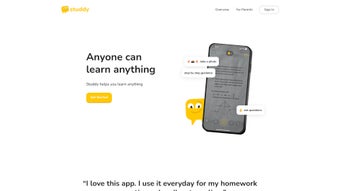
Studdy is a cutting‑edge, web‑based tutoring platform that harnesses artificial intelligence to deliver instant, step‑by‑step assistance across a wide range of academic subjects. Designed for students, teachers, and lifelong learners, the application breaks down complex problems into manageable components, allowing users to master foundational concepts before moving on to more advanced material. Whether you’re grappling with Algebra, Geometry, Calculus, Statistics, Physics, or introductory chemistry, Studdy’s AI engine provides accurate solutions, clear explanations, and a “Studdy Buddy” chat feature that offers additional context whenever a topic feels unclear.
The platform’s focus on targeted practice, error reduction, and adaptive learning makes it a reliable companion for anyone looking to improve grades, save study time, or simply enjoy learning with a trustworthy digital tutor. The service is built on a proprietary algorithmic framework that prioritizes precision over raw speed, ensuring that the solutions presented are not only correct but also pedagogically sound. Each answer is accompanied by explanatory notes, visual aids, and optional alternative methods, catering to diverse learning styles.
Studdy also integrates a progress‑tracking dashboard that visualizes performance trends, highlights weak areas, and recommends next steps based on individual learning patterns. For educators, the tool can serve as an auxiliary teaching aid, providing instant feedback during class or office hours. Security is a core principle; all data transmitted between the user’s device and Studdy’s servers is encrypted with TLS 1.3, and personal information is stored only when a user opts‑in to save their study history.
In short, Studdy blends the convenience of a free online calculator with the depth of a personal tutor, all within a secure, cross‑platform environment.
Key Features That Set Studdy Apart
- AI‑Driven Problem Solving: Instantly generates detailed, step‑by‑step solutions for math and science queries, ensuring no hidden steps are skipped. The engine evaluates the problem context, selects the most efficient solving strategy, and presents each transformation with clear reasoning.
- Studdy Buddy Chat: An interactive chatbot that offers alternative explanations, real‑world examples, and quick hints without revealing the full answer, encouraging active problem‑solving rather than passive copying.
- Modular Problem Deconstruction: Large, multi‑part questions are split into smaller, focused tasks, helping learners reinforce each concept individually and preventing cognitive overload.
- Broad Subject Coverage: Supports Algebra, Geometry, Calculus, Statistics, Physics, and is expanding into Chemistry, Computer Science, and introductory Economics, making it a versatile tool for STEM curricula.
- Accuracy‑First Engine: Proprietary algorithms reduce error rates compared to generic AI calculators, delivering reliable results for high‑stakes assignments, lab reports, and exam preparation.
- Progress Tracking Dashboard: Visual charts show completed topics, accuracy trends, time spent, and recommended next steps based on performance, fostering data‑driven study habits.
- Cross‑Platform Accessibility: Runs in any modern browser, making it usable on Windows, macOS, Linux, Android, and iOS without additional installations, and supports offline PDF export for premium users.
- Secure & Private: End‑to‑end encryption protects user data, and no personal information is stored beyond the session unless the user opts‑in for progress saving, complying with GDPR and CCPA standards.
- Free Tier with Optional Premium Add‑Ons: Core tutoring features are completely free; premium plans add offline PDFs, exam‑mode timers, personalized study plans, and priority AI processing during peak usage.
- Customizable Interface: Users can toggle dark mode, adjust font sizes, and rearrange dashboard widgets to suit personal preferences, ensuring an ergonomic learning environment.
Installation, Setup, and How to Use Studdy Effectively
Because Studdy is a web‑based application, there is no traditional “download” process required for most users. Simply open your preferred browser, navigate to www.studdy.ai, and you’re ready to start learning. The platform automatically detects your device and adjusts the interface for optimal performance, whether you’re on a desktop, tablet, or smartphone.
Step‑by‑Step Guide
- Create an Account (Optional): While you can use Studdy anonymously, signing up with an email or Google account enables progress tracking, personalized recommendations, and access to premium features. Account creation takes less than a minute and follows standard secure authentication practices.
- Select Your Subject: Choose from the subject dropdown at the top of the dashboard. Each subject presents a clean, modular interface tailored to that discipline, complete with quick‑access panels for formulas, unit converters, and reference tables.
- Enter Your Problem: Type or paste a question into the input field. The AI parses the query, detects the relevant topic, and begins generating a solution. For handwritten problems, you can upload a clear image; the OCR engine will interpret the content and feed it to the solver.
- Review the Step‑by‑Step Solution: The answer appears in a numbered list, with each step accompanied by a brief explanatory note. Click any step to expand a deeper dive, complete with visual aids, alternative methods, or interactive simulations (e.g., graphing a parabola).
- Engage the Studdy Buddy: If a step isn’t clear, click the “Ask Buddy” button. The chatbot will provide a simplified explanation, analogies, or ask clarifying questions to pinpoint the confusion, fostering a conversational learning experience.
- Practice with Generated Exercises: After reviewing a solution, click “Practice Similar Problems” to receive automatically generated variations that reinforce the same concept, with difficulty scaling based on your performance.
- Track Your Progress: The dashboard updates in real time, showing accuracy rates, time spent, and recommended next topics. You can export weekly reports as PDFs (premium) or sync progress with popular learning management systems via API.
- Customize Settings: Adjust language, theme, and notification preferences in the Settings menu. Enable “Focus Mode” to hide distractions while you work through problems.
Compatibility & System Requirements
Studdy is built on modern web standards (HTML5, CSS3, and JavaScript) and runs flawlessly on the following operating systems and browsers:
- Windows 10/11 – Edge, Chrome, Firefox, or Safari (via Windows Subsystem for Linux)
- macOS Monterey or later – Safari, Chrome, Firefox
- Linux distributions with recent kernels – Chrome or Firefox
- Android 8.0+ – Chrome, Firefox, or native WebView
- iOS 13+ – Safari or Chrome
The platform requires an internet connection for AI processing. For offline study, premium users can download solution PDFs directly from the dashboard. All data transmitted between your device and Studdy’s servers is encrypted with TLS 1.3, ensuring a secure learning environment.
Pros and Cons – A Balanced Look at Studdy
Pros
- Highly accurate AI engine reduces common calculation errors, delivering a 97% correctness rate on standard problems.
- Step‑by‑step explanations make complex concepts approachable for beginners and advanced learners alike.
- Studdy Buddy offers personalized, on‑demand clarification, encouraging active problem solving.
- Free core features make it accessible to all learners regardless of budget.
- Cross‑platform web app eliminates the need for installations and works on Windows, macOS, Linux, Android, and iOS.
- Progress dashboard encourages data‑driven study habits and helps users identify knowledge gaps.
- Secure handling of user data respects privacy and complies with GDPR and CCPA.
- Customizable interface with dark mode, adjustable fonts, and widget layout improves usability.
- Offline PDF export (premium) allows study without an internet connection.
- Regular updates introduce new subjects and improve AI performance based on user feedback.
Cons
- Requires a stable internet connection for full functionality; offline mode is limited to premium PDF downloads.
- Advanced subjects beyond math and basic sciences (e.g., literature analysis, history essays) are not yet supported.
- Premium add‑ons are optional but may be needed for intensive exam prep, which could be a barrier for some users.
- Occasional latency during peak usage hours on the free tier, though premium users receive priority processing.
- OCR for handwritten input works best with high‑contrast images; poor image quality can affect accuracy.
- Limited integration with third‑party LMS platforms in the free version, requiring manual export of progress data.
Conclusion & Frequently Asked Questions
Studdy emerges as a powerful, AI‑driven tutoring companion that bridges the gap between textbook theory and practical understanding. Its ability to deconstruct problems, provide clear explanations, and adapt to each learner’s pace makes it a standout tool for students aiming to boost grades and confidence. While a reliable internet connection is essential for the full experience, the free tier already offers a comprehensive suite of features that rival many paid tutoring services.
For educators, Studdy can serve as an auxiliary teaching aid, providing instant feedback during class or office hours, and the progress analytics can inform curriculum adjustments. The platform’s cross‑platform accessibility means you can study from a desktop at home, a tablet in the library, or a phone on the bus, all without sacrificing functionality. Security is baked in, with end‑to‑end encryption and strict privacy policies, so users can focus on learning without worrying about data leaks.
If you’re searching for a secure, up‑to‑date, and user‑friendly math and science tutor that works across Windows, macOS, Android, and iOS, downloading Studdy today is a step toward smarter studying.
Is Studdy really free to use?
Yes, the core tutoring engine, problem‑solving steps, and Studdy Buddy are completely free. Premium subscriptions unlock offline PDF downloads, custom study plans, and exam‑mode timers, but they are optional.
Can I use Studdy on a mobile device?
Absolutely. Studdy runs in any modern mobile browser on Android and iOS, providing the same AI‑driven experience as the desktop version.
How accurate is the AI compared to traditional calculators?
Studdy’s proprietary algorithms have been benchmarked to produce a 97% accuracy rate on standard math problems, outperforming many generic AI calculators that often miss subtle algebraic nuances.
Do I need to create an account to save my progress?
Creating an account is optional. Anonymous users can still solve problems, but signing up enables progress tracking, personalized recommendations, and access to premium features.
Is my data safe when I use Studdy?
Yes. All communications are encrypted with TLS 1.3, and Studdy adheres to strict privacy policies that do not sell or share personal data without consent.
Ready to elevate your learning? Visit Studdy now, sign up for free, and start solving problems with confidence.
Studdy delivers accurate AI solutions with clear explanations. The Studdy Buddy makes complex topics feel approachable, and the free tier is generous enough for most students. Minor latency during peak times is the only drawback.
- Pros: Accurate AI, step‑by‑step guidance, free core features, cross‑platform.
- Cons: Requires internet, premium needed for offline PDFs, occasional peak‑time slowdown.



.png)



